
Sessions was designed to make incident reporting faster and easier.
For many organisations, training sessions or matches often occur on the same day each week. By automatically filling in key details—such as the location, type of activity, and sport—you won’t need to re-enter this information when reporting an injury.
How to create a session
- On the main menu, press 'sessions'
- At the bottom of the page, press '+ new'
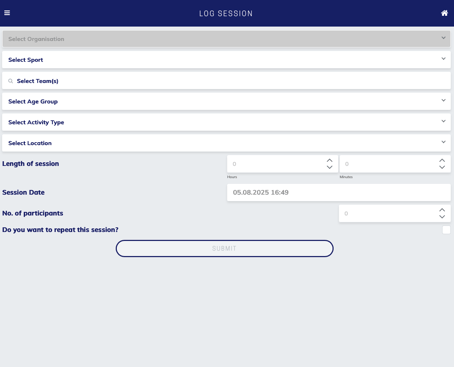
- Input all the relevant information relating to your session.
- If the session repeats, toggle the box and input the repeat session details'
- Press submit
How to view sessions
After creating a session, you can view them in the sessions section of the app. See completed sessions, future session, and which sessions have injured players in them. You can also filter this section to provide more precise information.