
You might need to add players that have joined part way through the season, or perhaps you're getting ready for the new season – which means you need to add new players, and remove anyone who's leaving. If this is the first time you're adding players to SportSmart, following this guide. There are two options that are detailed below:
Option 1: Add new players to a new CSV template.
In the admin portal, select 'players' and download the CSV template. Add in the new player(s) using the guide, and upload the template.
When you upload the CSV you will be presented with the Player Import Summary shown below.
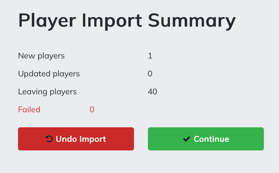
In this example, one new player is being added to the existing fourty players that are already uploaded in the SportSmart account. Don't be alarmed that the summary says 'leaving players'. Click continue, and you will be shown a further summary page shown below.
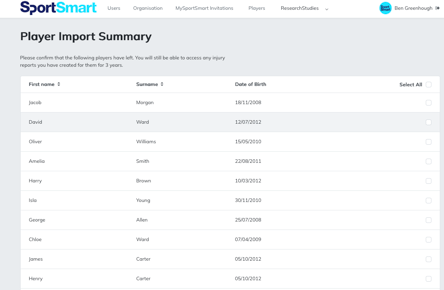
In this list will appear the 40 players that were previously uploaded. If any of the players have left, select them and press finish. If no players have left, you can proceed to the bottom and press finish. Your player list will be updated to include any new players you added, and old players removed (if selected).
Option 2: Add new players and remove existing players from a previously used CSV file.
If you retained the CSV template used to upload your first set of players, you can update this with new players, and remove players that have left. When you upload the template you will be presented with the same tables as shown above. This time, the list will show all the players that have left the organisation. Select all, and press finish.
You can use the above method to update player contact information, such as if the parents contact details have changed. You can update an existing CSV template with the new information (option 2) or add the new information to a new CSV template. Just make sure the players name and DOB are the same as the one already uploaded. If you need to update the a players name, DOB, or Sex - click here to find out how.