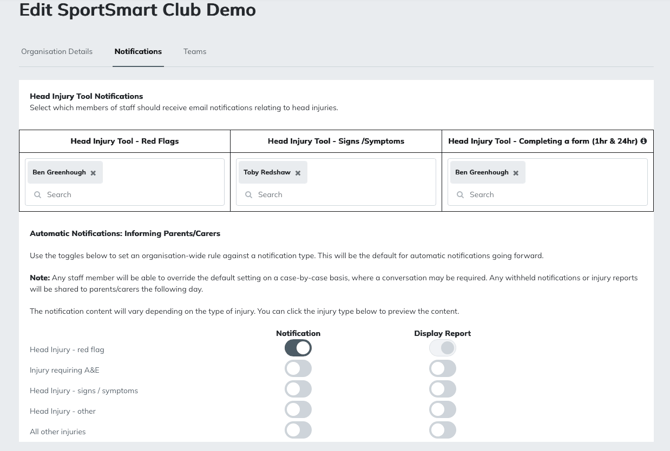
Selecting who in your organisation receives injury notifications is a good step towards keeping the right people in your organisation informed, so they can act accordingly. Before you start, make sure to add user to your organisation.
- In the admin portal, click 'organisation'
- At the top of the screen, select 'notifications'
- For each head injury category, select the users who should receive notifications.
Tip: Clicking on the sub-heading (e.g. Head Injury Tool - Red Flags) will provide an example email the user will receive.