MySportSmart allows parents and players to receive incident reports from their school or club, ensuring data is shared easily. Find out more about MySportSmart, here. Inviting parents or players to the MySportSmart is easy.
Note: Before you invite parents or players to the MySportSmart App, you must import your players to SportSmart. Find out how to do this, here.
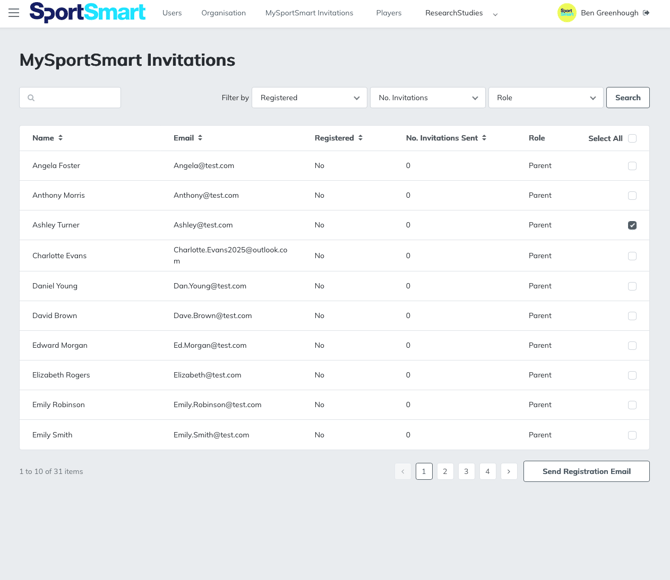
- In the admin section, click MySportSmart Invitations.
- From the list, select the individual(s) you want to invite, or click 'select all'
- Click 'send registration email'
Tip: You can use this section to see who has registered an account, and send further invitations to remind people. You can only send a maximum of 3 invitations.